Investment tools built around real property workflows
From owner research to rehab planning and direct-mail outreach, this page covers the workflows we now lead with.
The main workflow pieces inside GK2 Inc
This page centers on the tools that support real estate research and investment decisions for operators working active deals and expanding into new markets.
County GIS records and owner intelligence
Search property records to load owner names, mailing addresses, parcel IDs, lot details, assessed values, and related GIS fields without digging across multiple public sites.
ARV, rehab, margin, and deal score support
Move from raw county data into a clearer investment decision with AI-assisted underwriting support and quick deal triage for acquisition pipelines.
Photo-based rehab planning
Upload property photos to generate scope-of-work reports that help investors and contractor partners align on repairs, budget assumptions, and next steps.
Letters, postcards, and voice calls
Investor plans can fund a wallet and launch outreach from inside the property workflow instead of exporting data to separate vendors.
Probate and divorce court records resolved to real properties
Our AI agent scans court filings daily — death notices, probate estate filings, and divorce decrees — then resolves the names to actual properties using deed records and GIS data. Each lead is scored with AI vision analysis using Street View imagery for condition, vacancy signals, and distress level. These leads surface before they appear on any public list.
Register as a buyer and get matched with distressed deals
Real estate investors can register for free, set their target counties, define their budget, strategy, and close timeline, and get matched with off-market distressed properties as we find them. No subscription required.
Learn more about the Buyer NetworkBuilt for expanding research workflows
We want the public site to show the workflow, not a narrow list. If your team is sourcing, underwriting, rehabbing, or reaching owners in an active market, this is the use case we want to talk about:
Use the screenshots to explain each workflow instead of leaving it abstract
These sections now connect the product promise to real portal screens, which helps investors, wholesalers, and contractor teams understand what happens after signup.
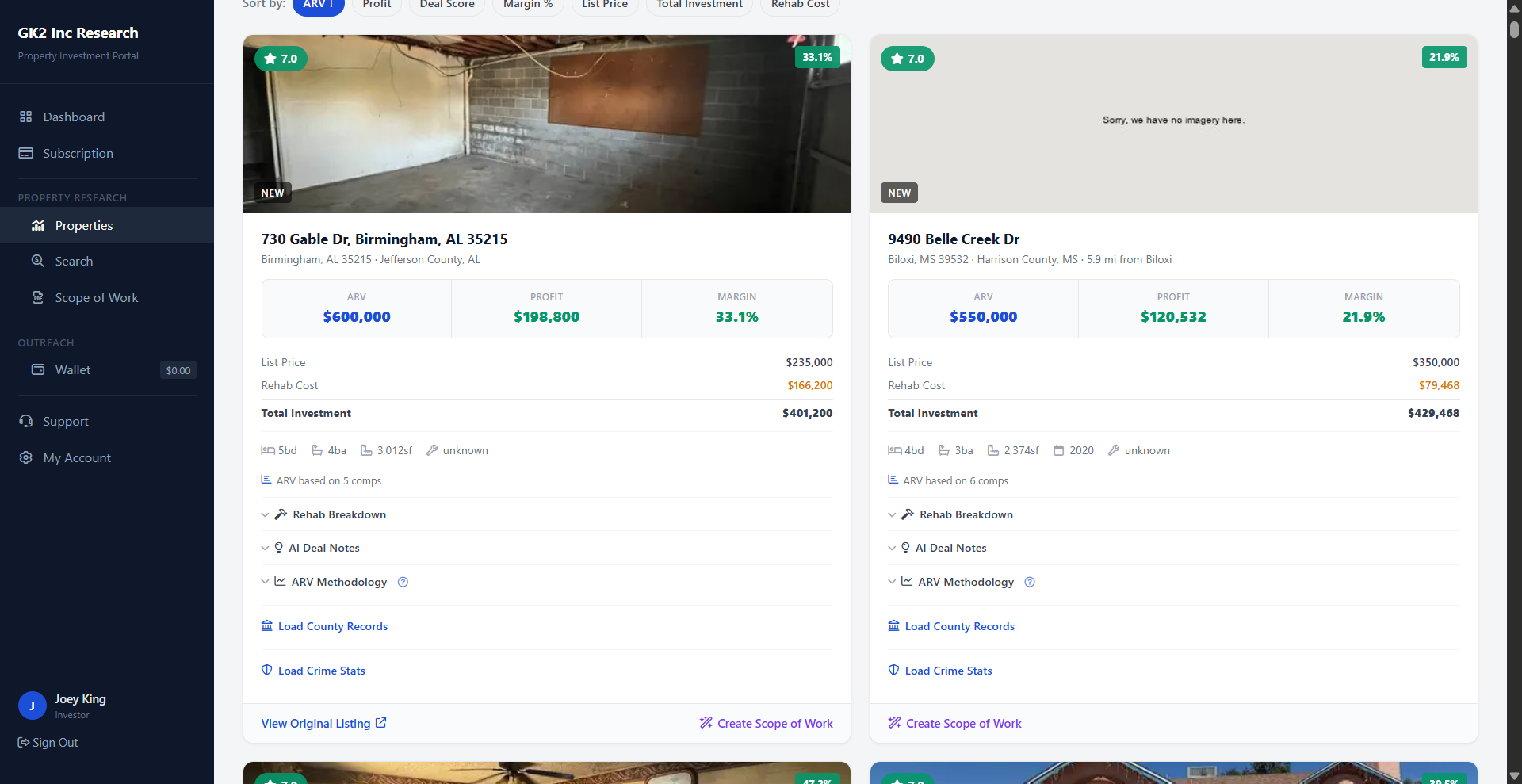
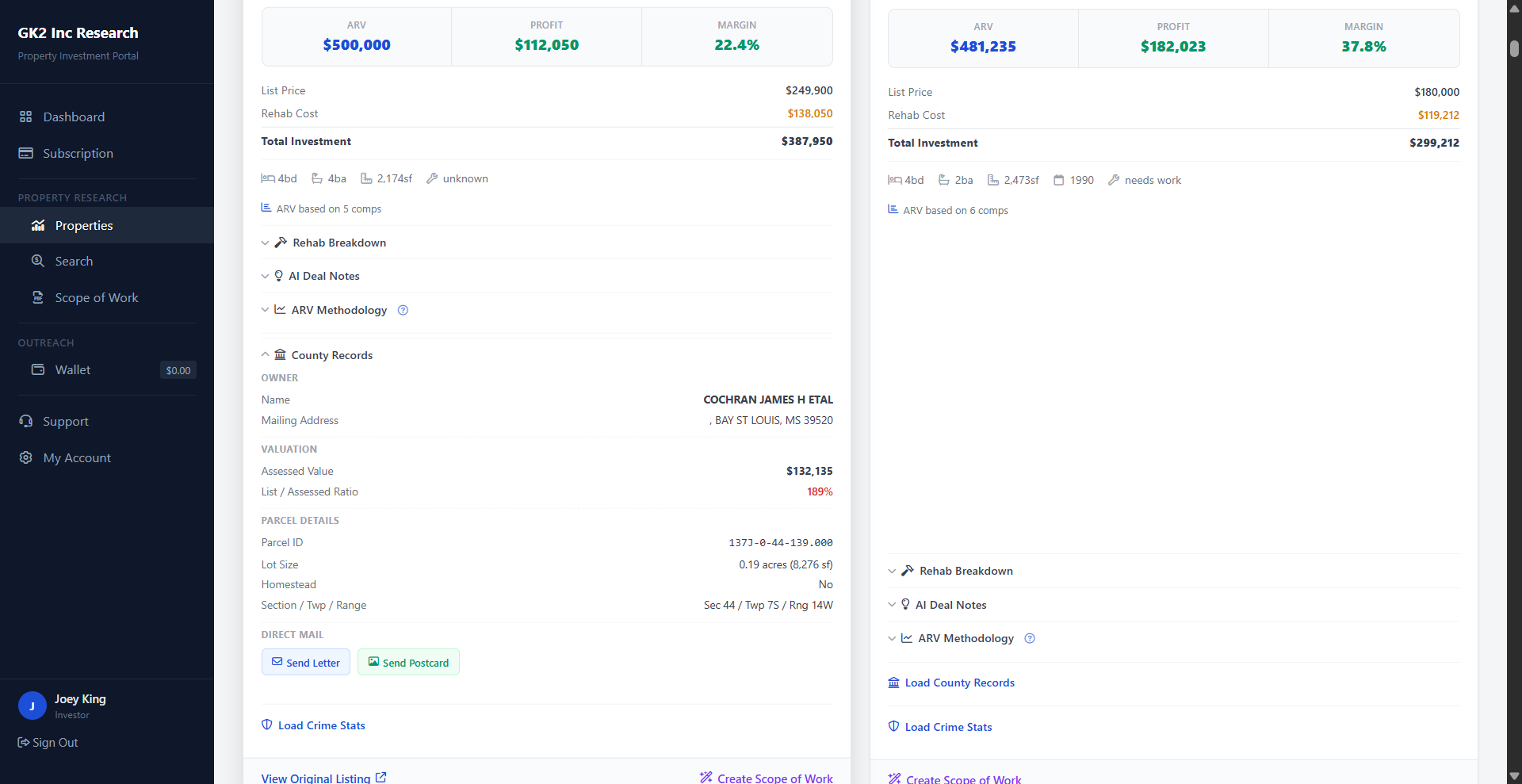
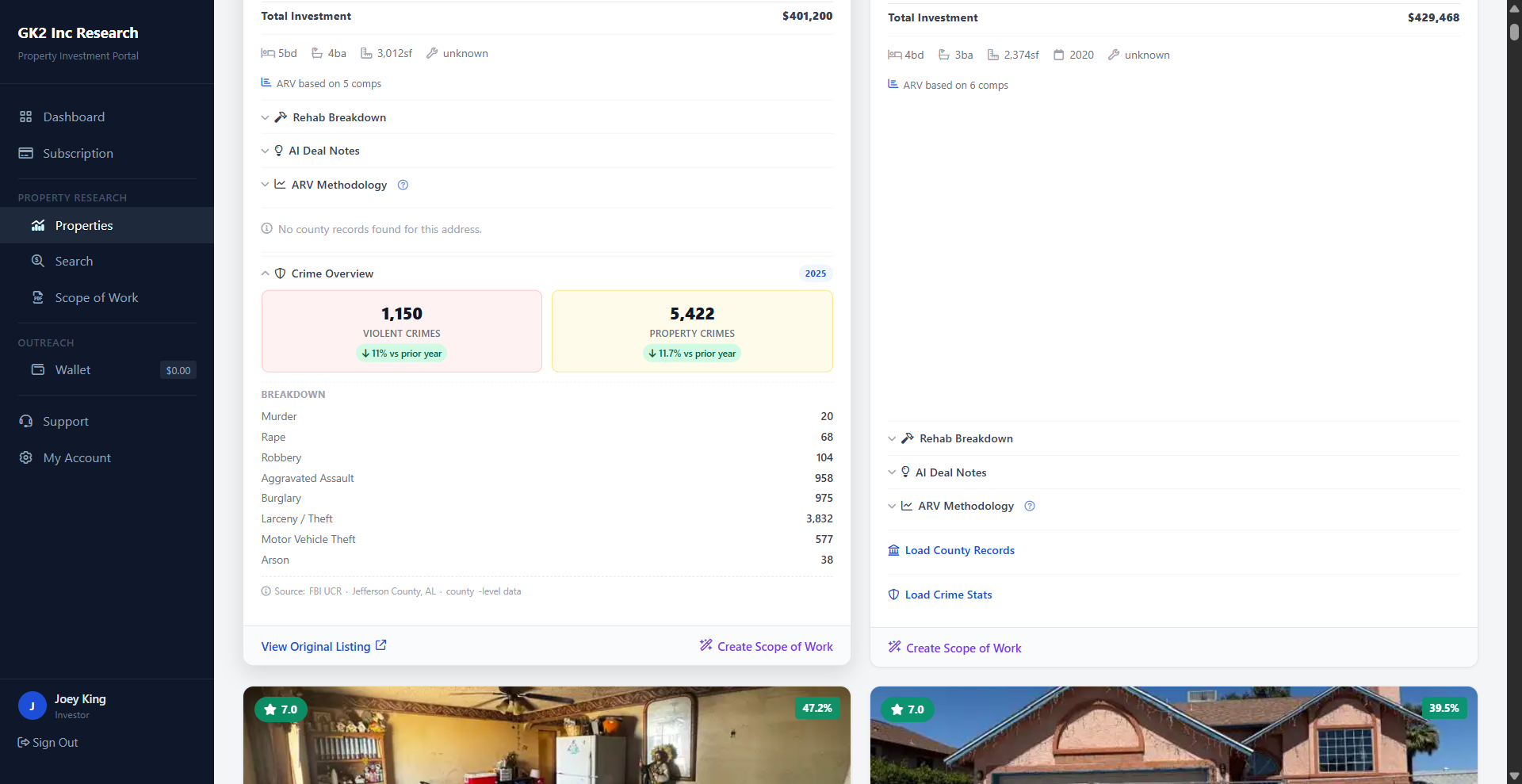
Property details, county records, and crime data all live in one research flow
Instead of selling “data” generically, the website now shows exactly how deal metrics, owner details, parcel records, and crime context appear inside the platform during underwriting.
- Property Details: see ARV, rehab, margin, and investment assumptions together.
- County Records: confirm owner name, mailing address, assessed value, and parcel information.
- Crime Stats: add neighborhood-level risk context before deciding to pursue a lead.
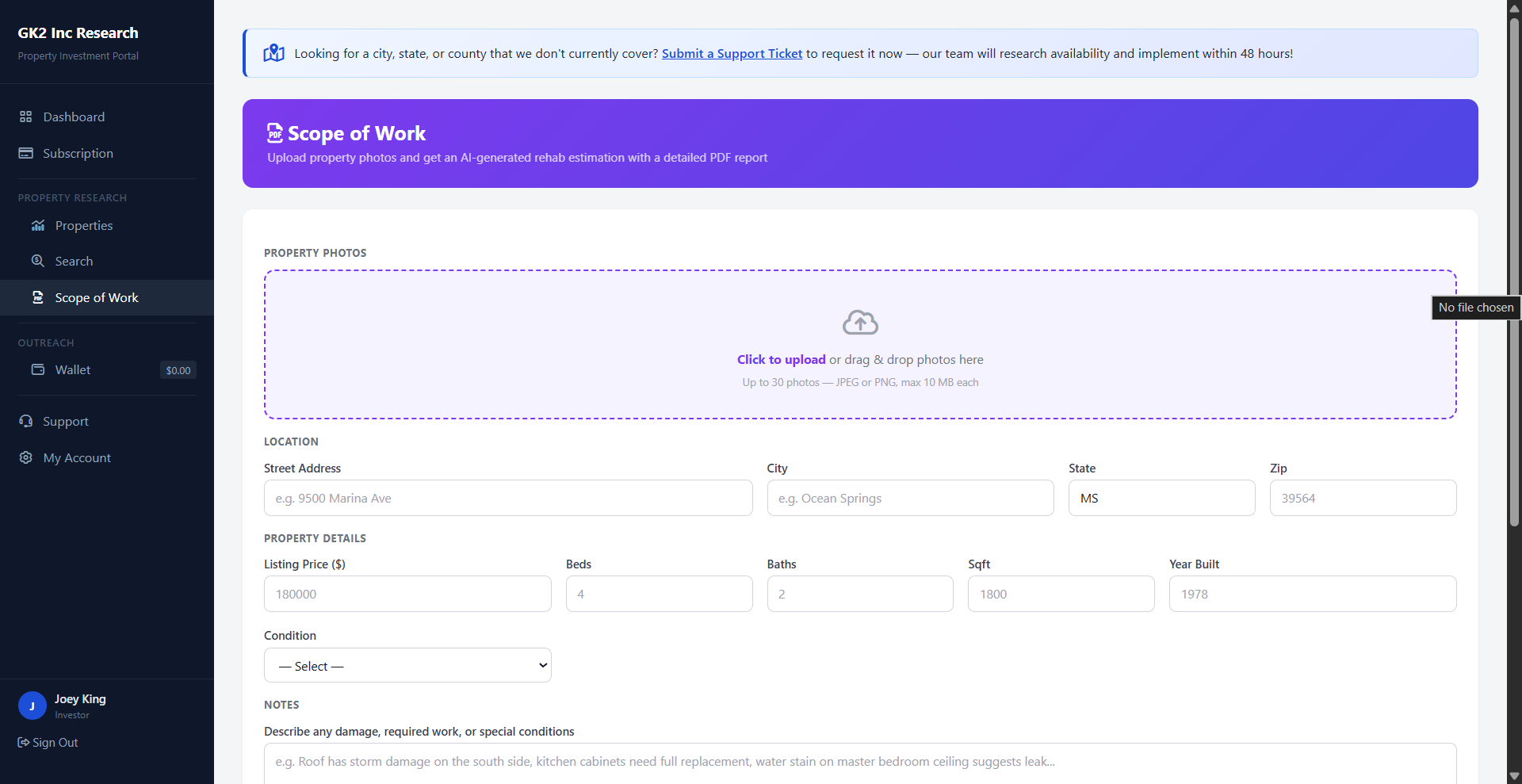
Scope of Work gives contractor and investor teams a cleaner handoff
This screen earns its place on the site because it shows how uploaded property photos become a rehab-oriented report, not just another form.
It is especially useful for buyers, project managers, and contractor partners who need a shared starting point before pricing or renovation planning begins.
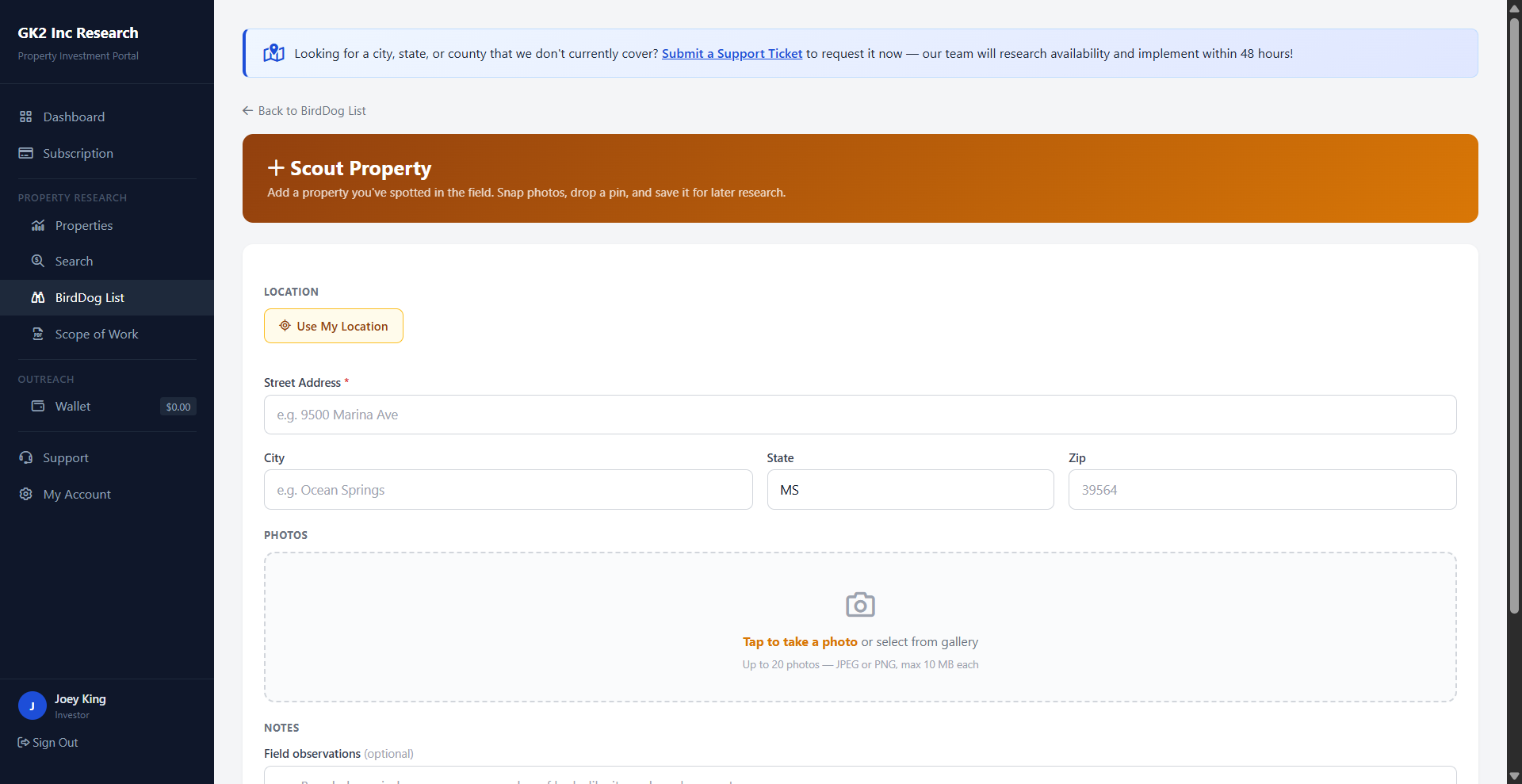
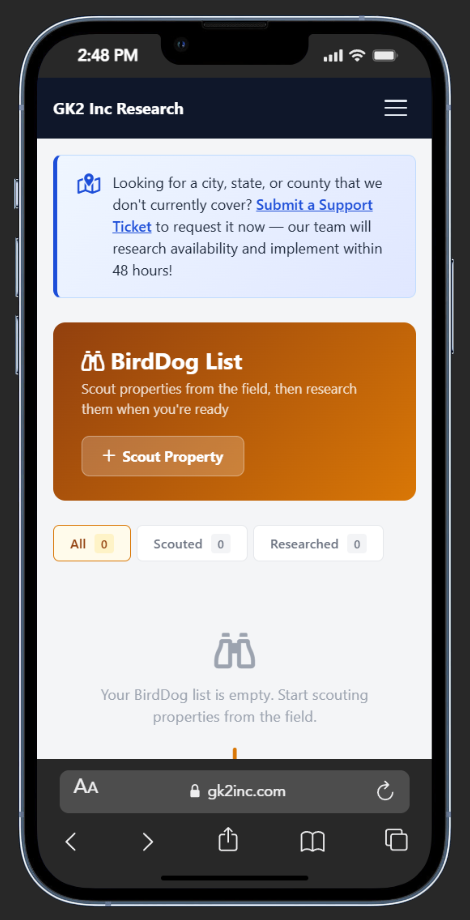
BirdDog gives wholesalers a field-first way to build pipeline
We added BirdDog messaging alongside the screenshots because this is the clearest differentiation for the Investor plan. Teams can scout a property, save photos and notes, and later move into the full research workflow.
Choose the level of workflow support you need
Research access
Best for agents, brokers, and users who mainly need parcel research, owner lookup, and faster property context.
Research plus scope-of-work
Best for contractor partners and rehab teams who want property research plus photo-based scope-of-work support.
Full investor workflow
Best for acquisitions and investors who want research, BirdDog scouting, rehab planning, and wallet-funded owner outreach in one place.


